Power Platform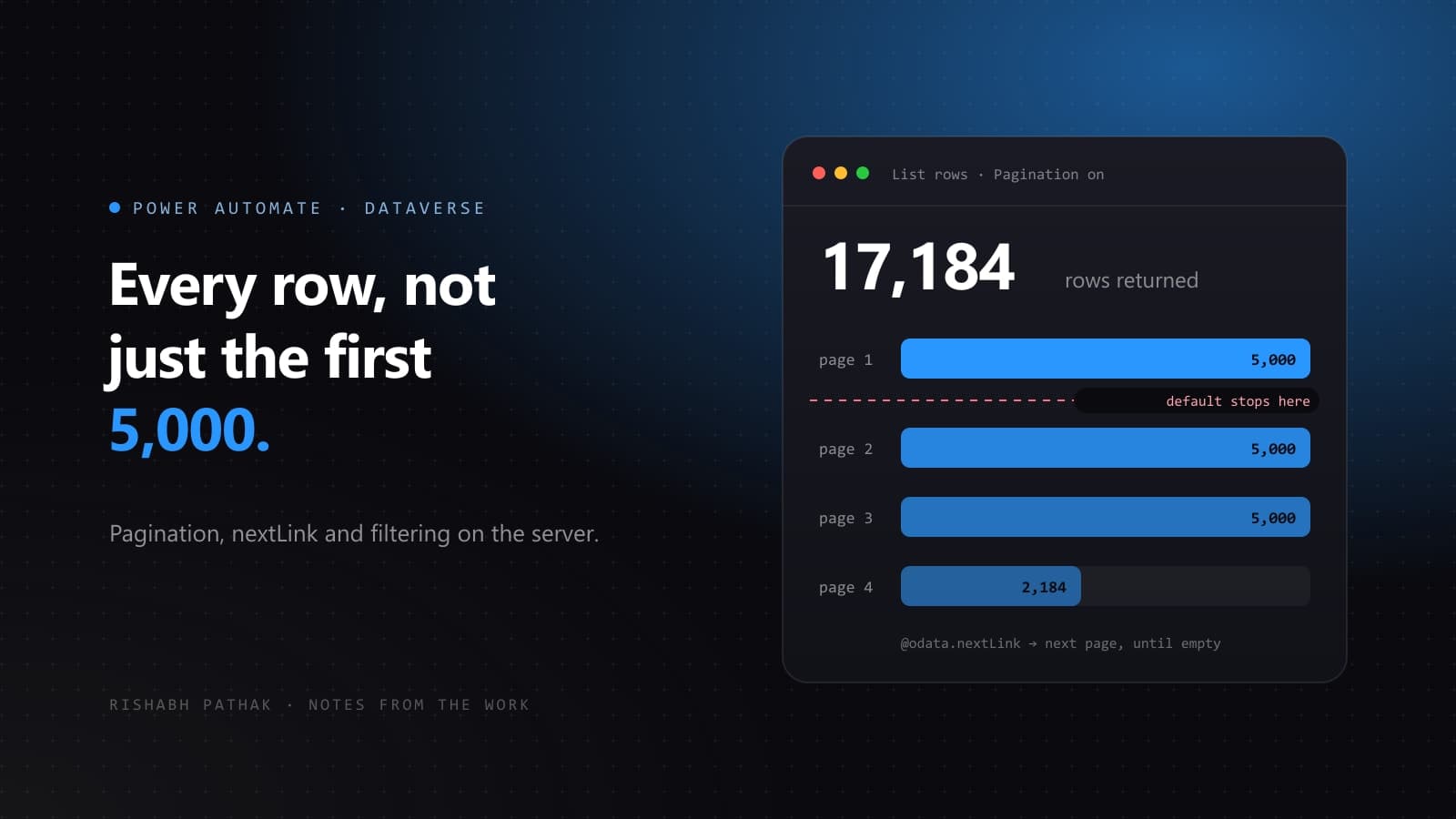
A flow works perfectly in testing, goes to production, and starts missing records. No error, no warning, no failed run. The cause is almost always the same: the Dataverse List rows action returned a page of results and the flow treated it as the whole table.
What is actually happening
The Dataverse connector pages its results. By default List rows returns up to 5,000 records in one page and stops there. The response includes an @odata.nextLink property pointing at the next page, but nothing in the designer forces you to notice it, and an Apply to each over the returned value will iterate only what came back.
This is why the bug hides so well. In a development environment with 800 test records, the flow is correct. It stays correct right up until the table crosses the threshold.
Option one: turn on pagination
The simplest fix. Open the List rows action, go to Settings, and switch Pagination on. Then set a threshold above the number of rows you expect. The connector will follow @odata.nextLink for you and hand back a single combined result.
This is the right answer when you genuinely need every row and the total is bounded and reasonably small. It is the wrong answer when the table has half a million rows, because the flow will hold all of them in memory and you will trade a correctness bug for a timeout.
Option two: stop fetching rows you do not need
Before reaching for pagination, ask whether the flow should be reading that many rows at all. Most flows that hit the limit are filtering in the wrong place.
- Use Filter rows with an OData filter so the server does the work. A Condition inside an Apply to each means you transferred every row across the wire to throw most of them away.
- Use Select columns to name only the columns you actually read. Payload size is often the real constraint, not row count.
- Use Sort by and Row count together when you only want the newest or oldest handful of records.
statuscode eq 1 and createdon gt @{addDays(utcNow(), -7)}A filter like that will usually take a flow that was straining against the page limit and drop it to a few dozen rows, at which point the whole problem disappears.
Option three: page through it yourself
When you truly need to process a large table and cannot hold it in memory, walk the pages manually with a Do until loop. Initialise a variable holding the @odata.nextLink, and on each iteration fetch that page, process it, then update the variable from the new response. Exit when the link comes back empty.
This is more work to build and more work to read, so keep it for the cases that earn it. Bulk reconciliation jobs and nightly exports earn it. A flow triggered per record does not.
Which one to pick
- Can you filter it down below the limit? Do that. Almost always the right answer.
- Do you need everything, and is everything a few thousand rows? Turn on pagination and set a sane threshold.
- Do you need everything, and is everything enormous? Page manually, or move the work out of Power Automate entirely.
That third case is worth saying plainly. If a flow is pulling hundreds of thousands of rows on a schedule, Power Automate is not the right tool for it. A dataflow, Azure Data Factory, or a small Azure Function will be faster, cheaper and easier to reason about.