Power Platform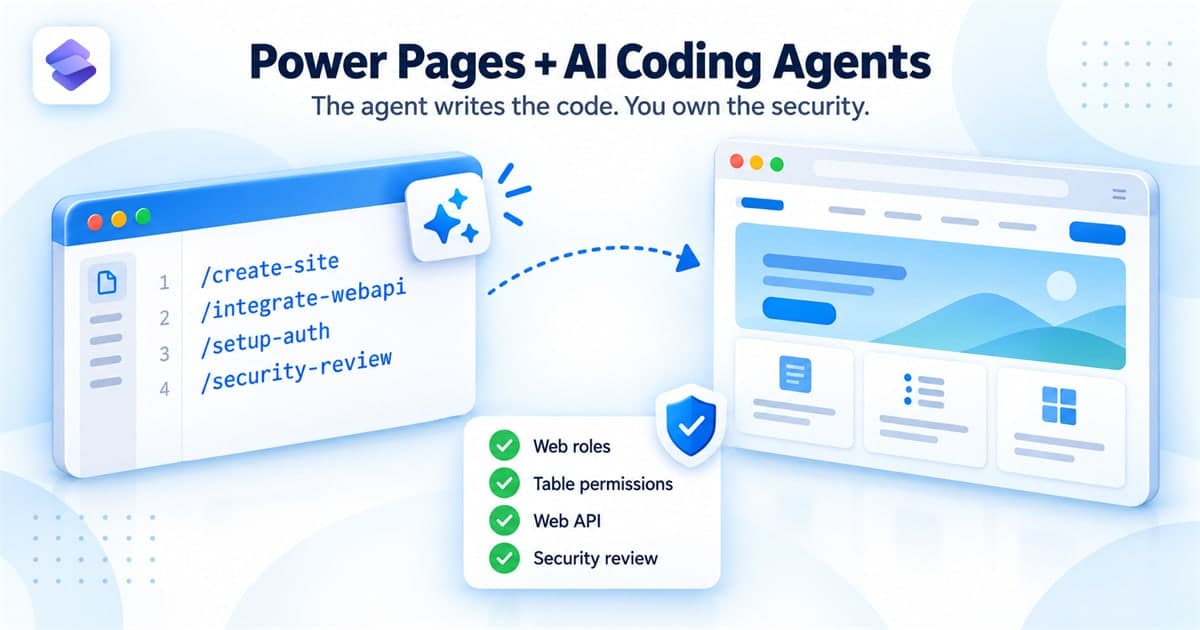
Power Pages development has been splitting into two paths. One is the design studio, with Liquid templates and low-code configuration. The other is single-page application sites, often called code sites, where the whole front end is a React, Vue, Angular or Astro project that you build locally and upload with the Power Platform CLI.
The second path just got considerably faster. Building Power Pages sites with AI coding tools reached general availability on 29 May 2026, and Microsoft now publishes an official Power Pages plugin for GitHub Copilot CLI and Claude Code. It is not a generic code generator. It knows what web roles, table permissions, the Power Pages Web API and site settings are, and it works through the full lifecycle of a site.
That is useful, and it also changes where the real work sits. This article covers how the plugin fits together, and the parts that still need a person who understands the platform.
Why platform awareness matters
A general-purpose AI assistant can write a React page. What it usually gets wrong on Power Pages is everything around the page: calls to /_api/ that fail without the anti-forgery token, table permissions that are missing or far too broad, and lookup columns that the Web API refuses to return.
The plugin is built from skills that carry that platform knowledge. Each skill checks its own prerequisites, proposes what it intends to do, and waits for approval before it creates tables, permissions or configuration.
Getting set up
Before installing, make sure the machine has the following:
- Node.js 18 or later.
- Power Platform CLI 2.6.3 or later, which is required for server logic.
- Azure CLI, signed in to the same tenant with
az login --allow-no-subscriptions. - GitHub Copilot CLI or Claude Code, on the latest version.
- An authenticated PAC CLI session against an environment with Power Pages enabled. Check it with
pac auth list.
Then add the Microsoft marketplace and install the plugin from inside the coding agent:
/plugin marketplace add microsoft/power-platform-skills
/plugin install power-pages@power-platform-skills
Restart the agent afterwards so the skills appear as slash commands. Microsoft also provides a one-line installer script in the documentation that sets up every Power Platform plugin with auto-update turned on.
The lifecycle, in five stages
The plugin exposes a long list of slash commands. They are easier to reason about as five stages, and you do not have to follow them in a fixed order.
- Build.
/create-sitescaffolds the project in your chosen framework, applies the design direction and builds the pages you describe, committing to git at each milestone./deploy-sitebuilds and uploads it with PAC CLI, and/activate-siteprovisions the website record and a public URL. - Data.
/setup-datamodelreads your code, checks Dataverse for existing tables and proposes a data model as an ER diagram./add-sample-datafills it with realistic test records./integrate-webapireplaces mock data with a typed API client, a service layer and table permissions. - Access.
/create-webrolesdefines roles, allowing at most one anonymous and one authenticated role per site./setup-authconfigures sign-in with Microsoft Entra External ID, Microsoft Entra ID, OpenID Connect, SAML 2.0, social providers or several at once. - Logic.
/add-server-logicgenerates secure server-side endpoints under/_api/serverlogics/for external API calls, validation and secrets./add-cloud-flowconnects existing Power Automate flows. If you are not sure which approach a feature needs,/integrate-backendclassifies each one and runs the right skills in order. - Ship.
/add-seogenerates the sitemap, robots file and meta tags./security-reviewruns a consolidated review, and/plan-almpackages the site as a solution and promotes it through Power Platform Pipelines or manual export and import.
What you still own
The plugin does the typing. It does not take responsibility for the design decisions, and Microsoft is explicit that generated code and configuration can be inaccurate. Three areas deserve a careful human review every time.
Table permissions
When /integrate-webapi runs, a Permissions Architect agent proposes table permissions and site settings. Read that proposal properly. Check the create, read, update and delete access for every role on every table. Overly permissive table permissions are one of the most common ways a Power Pages site exposes data it should not.
Client-side authorisation
The data model
The Data Model Architect proposes tables, column types and relationships based on what your pages appear to need. That is a starting point, not a business analysis. Naming, ownership and relationship behaviour are still decisions to make deliberately, because they are painful to change later.
The 403 you are likely to meet
After deployment, a common failure is a 403 from the Web API because a column is not enabled for it. Lookup columns are the usual cause, since their API name differs from the logical name in Dataverse.
{
  "error": {
    "code": "90040101",
    "message": "Attribute _crd50_propertyid_value in table crd50_document is not enabled for Web Api.",
    "innererror": {
      "type": "AttributePermissionIsMissing"
    }
  }
}
The fix is to add that exact column, including the leading underscore and the _value suffix, to the table permission and redeploy. Do not change the query to work around it. When you ask the agent for help, paste the full request URL and the complete JSON response, because the message names the table and column precisely.
Run the security review before go-live
/security-review asks what you are trying to check, runs the matching focused skills in parallel and writes one HTML report. The recommended release readiness option covers:
- Source code and dependencies, including hardcoded secrets and vulnerable packages.
- A scan of the deployed site, grouped by severity.
- Browser security headers, such as Content Security Policy, frame protection and CORS.
- The web application firewall, on production sites in supported regions.
- Table permissions and authentication, audited against the site code and Dataverse metadata.
The review never changes anything on its own. You pick a finding, and the plugin runs the matching skill interactively to fix it.
Limits worth knowing
- Code sites are managed through source and CLI. They run entirely in the browser, and Power Platform Git integration does not support them.
- It targets code sites. An existing design studio site built on Liquid templates is a different model, so do not expect the plugin to modernise it for you.
- Some capabilities are in preview. The AI summarisation APIs added by
/add-ai-webapiare in preview and depend on admin and site settings being turned on. - Watch the terminal on first run. The agent runs real commands on your machine, and a missing tool shows up as a
command not founderror rather than a friendly message.
Where this leaves Power Pages developers
Scaffolding, boilerplate API code and YAML for permissions are no longer where the hours go. The value moves to what the plugin cannot decide for you: the right data model, the right access for each role, and a security review that someone actually reads.
For a new customer or partner portal, it is worth trying on a sandbox environment now. Treat every proposal as a pull request from a fast junior developer. Review it, question it, and approve only what you would have been comfortable writing yourself.
Sources: Get started with the Power Pages plugin for GitHub Copilot CLI and Claude Code, Create and deploy a single-page application in Power Pages and Build Power Pages sites faster with AI coding tools on Microsoft Learn.