Power Platform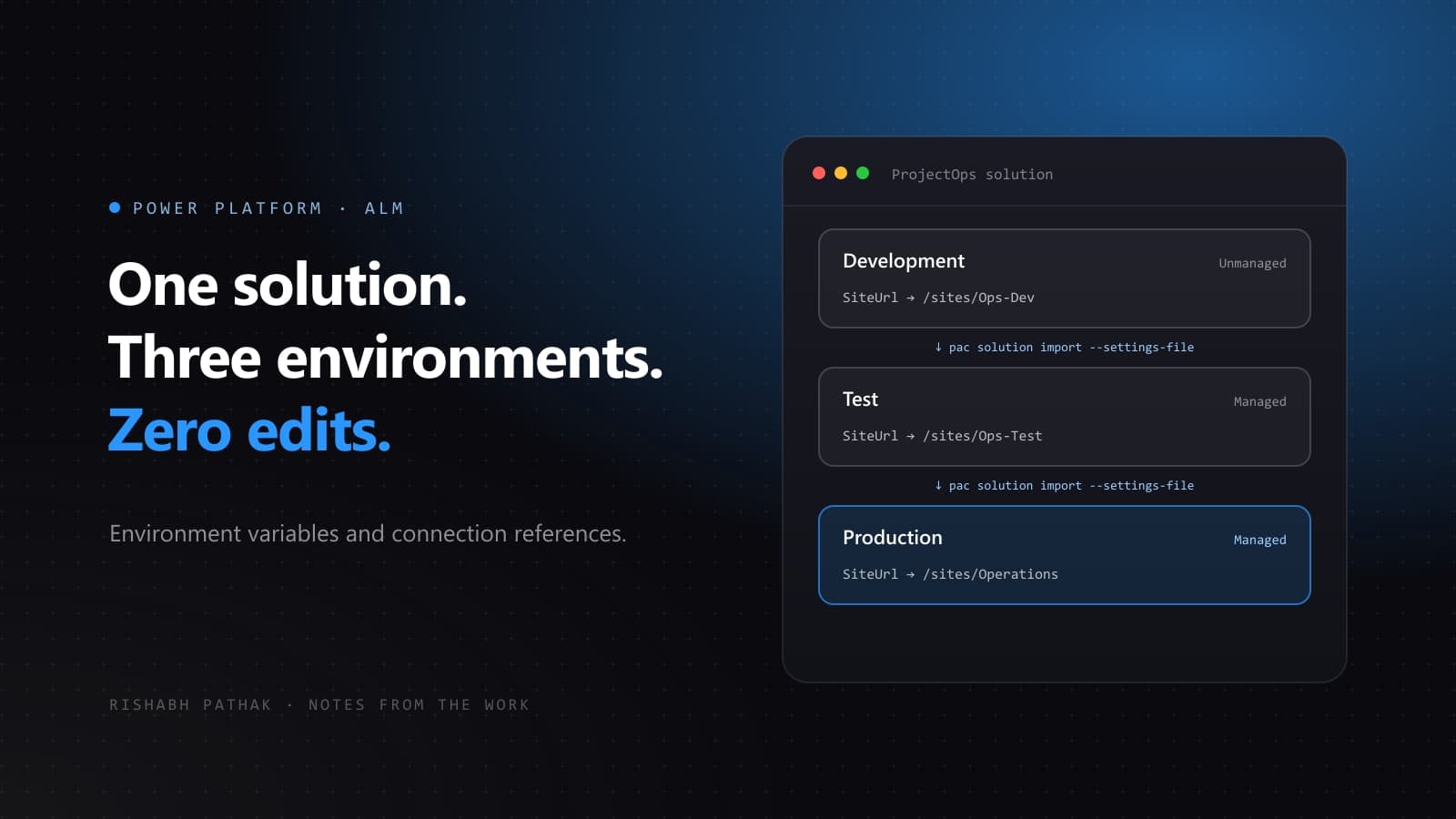
A flow that posts to a SharePoint site in development needs to post to a different site in production. The quick fix is to import the solution and edit the flow. It works once, gets forgotten on the next release, and production quietly writes to the test site.
Two solution components exist to make that edit unnecessary.
Environment variables hold the values that change
An environment variable is a named setting that lives in the solution, while its value is supplied per environment. Site addresses, approver email addresses, API base URLs, feature switches: anything that differs between development, test and production.
- Create it inside the solution under New → More → Environment variable, choosing a data type such as Text, Number, Yes/No or JSON.
- Use it in a flow from the dynamic content panel. Its value is also stored in Dataverse, so apps can read it too.
- Set a default value only when one genuinely applies everywhere, and keep the current value out of the solution you export.
Connection references hold the accounts
A connection reference sits between a flow and a connection. The flow points at the reference, and each environment points the reference at its own connection, ideally owned by a service account in that environment.
Flows created inside a solution use connection references by default. Flows built outside a solution and added later often do not, which is worth checking before the first deployment.
Supply both at import time
An interactive import prompts for environment variable values and connections. For repeatable deployments, capture them in a deployment settings file instead, generated from the solution with the Power Platform CLI:
pac solution create-settings --solution-zip ./out/ProjectOps_managed.zip --settings-file ./deploy/prod.settings.jsonThe file lists every environment variable and connection reference in the solution. Fill in the production values and connection IDs:
{
  "EnvironmentVariables": [
    {
      "SchemaName": "contoso_SharePointSiteUrl",
      "Value": "https://contoso.sharepoint.com/sites/Operations"
    }
  ],
  "ConnectionReferences": [
    {
      "LogicalName": "contoso_sharedsharepointonline_ref",
      "ConnectionId": "00000000000000000000000000000000",
      "ConnectorId": "/providers/Microsoft.PowerApps/apis/shared_sharepointonline"
    }
  ]
}
Commit it next to the pipeline definition, and pass it on import:
pac solution import --path ./out/ProjectOps_managed.zip --settings-file ./deploy/prod.settings.jsonA quick readiness check
- Every URL, address and ID that differs by environment is an environment variable.
- No environment variable carries a current value in the exported solution.
- Every flow uses connection references, and each maps to a service account connection in the target.
- A deployment settings file exists for each environment and lives in source control.
When all four hold, a release is an import, not an afternoon of editing flows in production.