Power Platform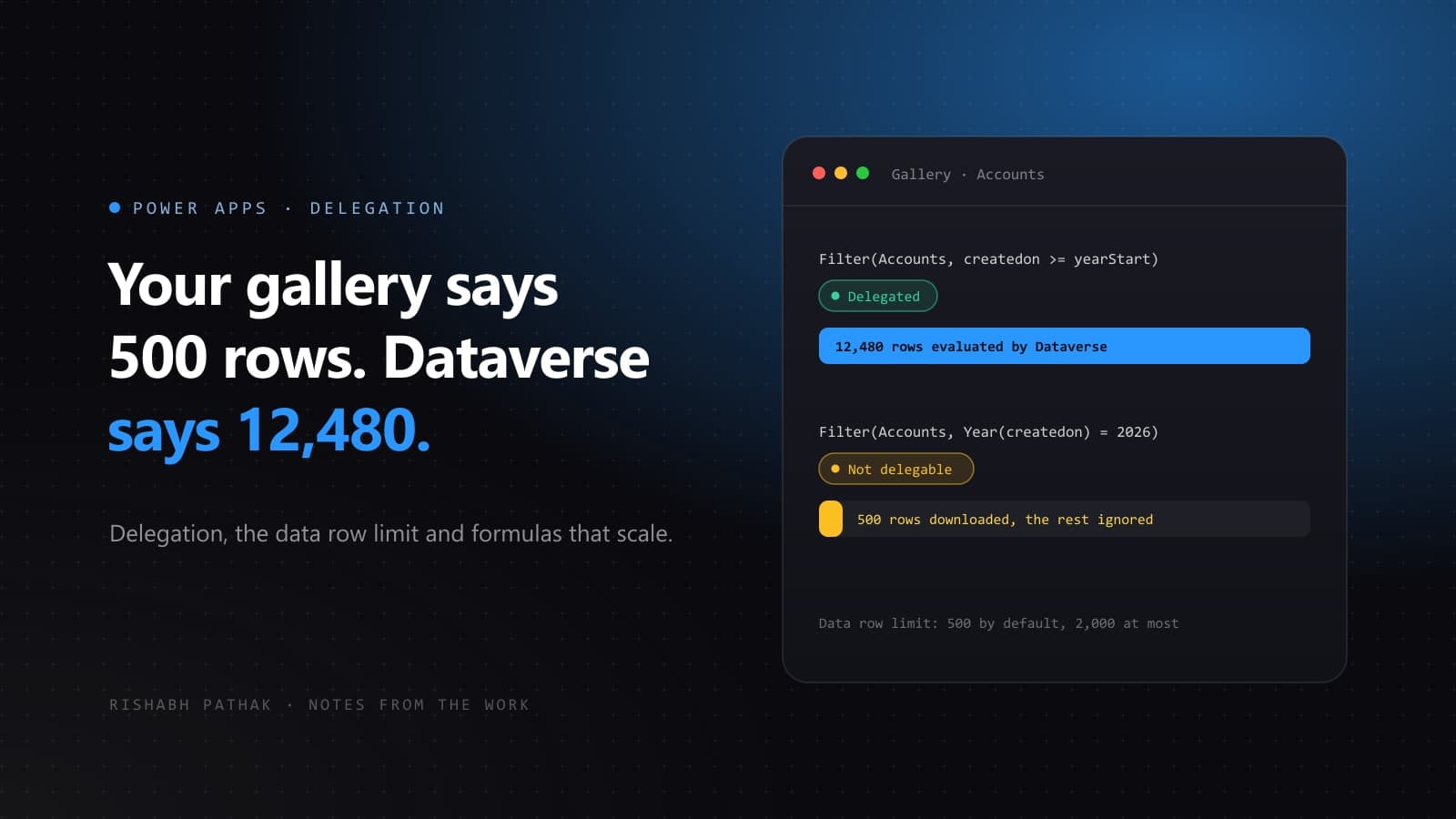
A canvas app is built against a table with a few hundred test records. Search works, filters work, counts add up. Six months later the table holds twenty thousand rows and users start reporting records that exist in Dataverse but never appear in the app. Nothing is broken in the usual sense. The app is doing exactly what the formula asked, on the first 500 rows it downloaded.
What delegation means
When a formula is delegable, Power Apps translates it into a query and the data source does the work: Dataverse filters and sorts twenty thousand rows and sends back only the matches. When it is not delegable, Power Apps downloads a limited number of rows and evaluates the formula locally, on that sample only.
That limit is the data row limit, set under Settings → General. It defaults to 500 and can be raised to a maximum of 2,000. Raising it hides the problem for a while. It does not solve it.
Spot it early
Studio marks a non-delegable formula with a warning and a blue underline on the part that cannot be delegated. Treat that underline as a bug, not a style hint.
A useful habit during development: temporarily set the data row limit to 1. Any screen that depends on local evaluation immediately shows wrong results, long before a user finds the problem with real data.
Rewrite the formula, not the limit
Most delegation problems come from a handful of patterns, and each has a delegable equivalent.
// Year() wraps the column, so the filter runs locally on the first 500 rows
Filter(
    Accounts,
    Year(createdon) = 2026
)// Comparing the raw column against precomputed values is sent to the server
With(
{ yearStart: Date(2026, 1, 1), yearEnd: Date(2027, 1, 1) },
Filter(
Accounts,
createdon >= yearStart && createdon < yearEnd
)
)- Functions wrapped around a column, such as
Year(),Lower()orLen(), force local evaluation. Compare the raw column against a value computed outside the query instead. - For search boxes,
StartsWith()is delegable to both Dataverse and SharePoint, which makes it the safest choice when an app might move between the two. AddColumns(),ForAll()andGroupBy()shape data inside the app. Apply them to an already filtered result, never to the whole table.- Collections are local by definition.
ClearCollect()over a large table copies only the rows it is allowed to fetch.
When a count has to be exact
Counting rows in a gallery tells you how many rows were loaded, not how many exist. For totals that matter, calculate them where the data lives: a rollup or calculated column in Dataverse, or a Power Automate flow that queries the table and returns the number.
Delegation is the most common reason a canvas app that demoed well starts losing data in production. Five minutes with the data row limit set to 1 finds almost all of it.