Business Central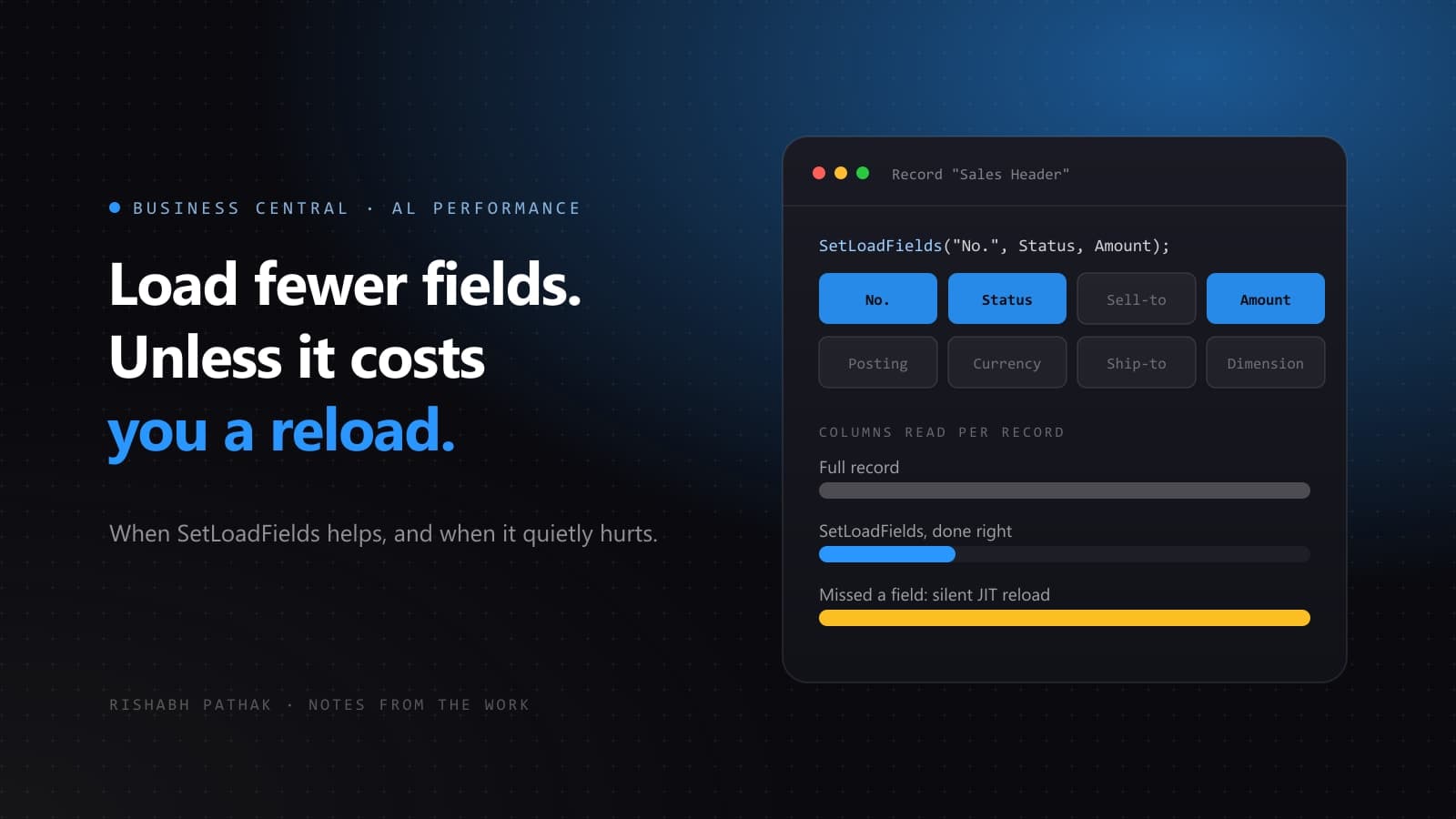
Business Central tables are wide. The sales line table carries well over a hundred fields, and by default reading one record means selecting every one of them, plus any fields added by every extension installed on the tenant. On a loop over fifty thousand records that adds up.
SetLoadFields lets you tell the platform which fields you actually intend to read, so the generated SQL selects only those columns. Used well it is one of the highest-leverage performance changes available in AL. Used carelessly it makes the same loop slower than it was before.
The basic use
Call it before the read, naming only the fields you touch.
local procedure TotalOutstanding(CustomerNo: Code[20]): Decimal
var
    CustLedgerEntry: Record "Cust. Ledger Entry";
    Total: Decimal;
begin
    CustLedgerEntry.SetLoadFields("Remaining Amt. (LCY)", Open);
    CustLedgerEntry.SetRange("Customer No.", CustomerNo);
    CustLedgerEntry.SetRange(Open, true);

    if CustLedgerEntry.FindSet() then
        repeat
            Total += CustLedgerEntry."Remaining Amt. (LCY)";
        until CustLedgerEntry.Next() = 0;

    exit(Total);
end;
Two columns instead of a hundred and forty. On a customer with a long ledger history that is a real difference, and it costs you one line.
The trap
If you read a field that was not in the load set, the platform does not fail. It goes back to the database and fetches the full record, transparently. That is a second round trip, per row, inside your loop.
So a loop that reads one unlisted field is now doing two queries per iteration where it previously did one. The optimisation has inverted into a regression, and nothing in the code makes that visible.
This is also why SetLoadFields and event publishers interact badly. If your loop raises an event and a subscriber in another extension reads a field you did not list, you have just added a round trip you cannot see from your own code.
Rules I follow
- Only use it on loops. On a single
Getthe saving is a fraction of a millisecond and not worth the maintenance risk. - Only use it where the field list is short and obviously complete. Two or three fields, read in the ten lines directly below the call.
- Never use it on a record you are going to
Modify. A modify needs the full record, so the platform reloads it and you have paid the cost for nothing. - Be careful in code that raises events, since subscribers you do not control may read fields you did not list.
- Remember that
Reset()clears the load fields along with the filters.
Measure, do not guess
The honest answer to "will this help" is that it depends on the table width, the row count and what the rest of the loop does. Turn on the AL profiler, or read the SQL in the telemetry, and compare. A change that looks obviously good in a code review is exactly the kind that turns out to be neutral.
Used on the right loop, partial records are close to free performance. Used as a reflex on every record variable, they are a slow leak that is genuinely difficult to find later.