Business Central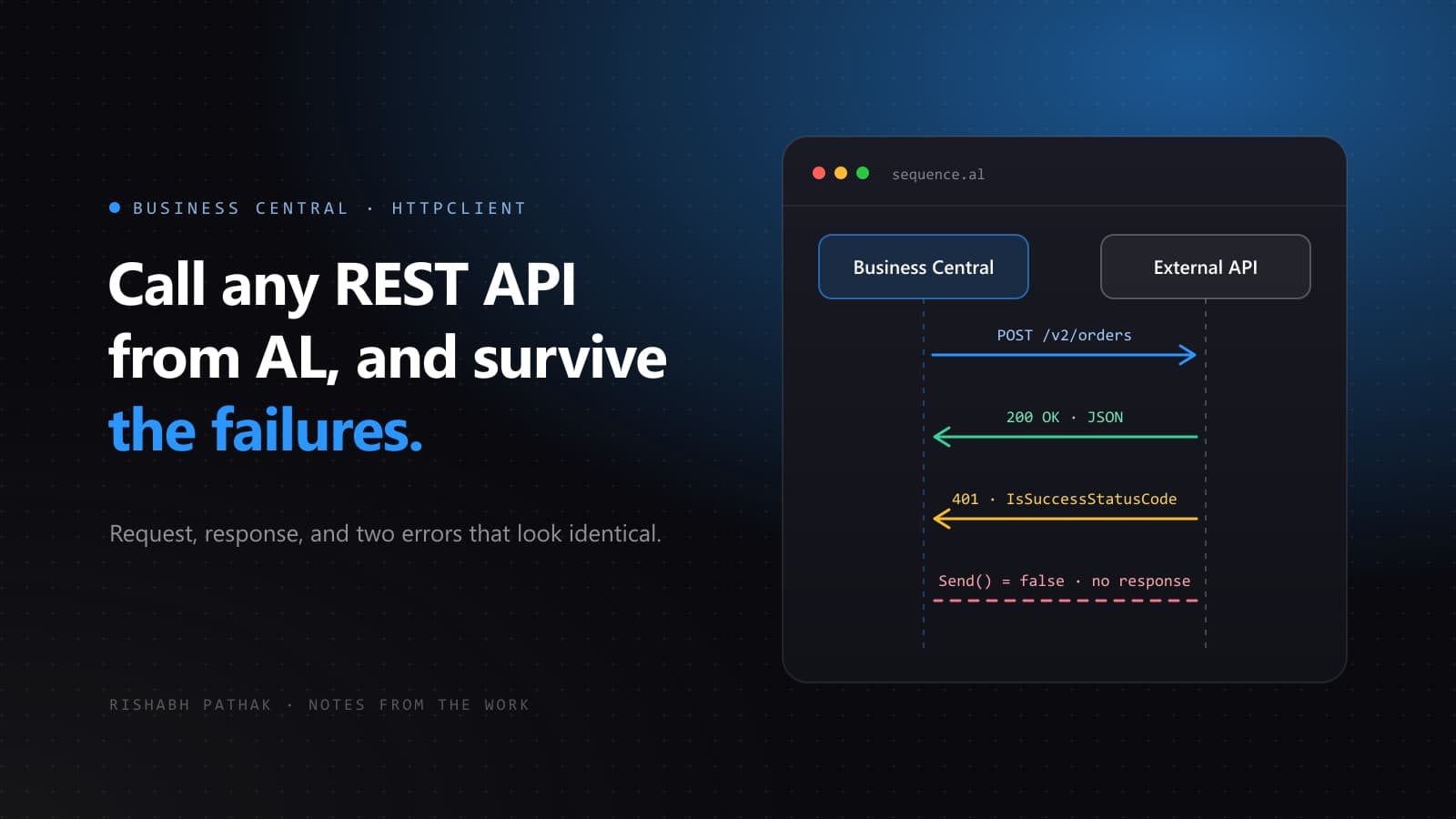
Nearly every Business Central project eventually needs to talk to something outside itself. A shipping rate, a tax service, a payment provider, a warehouse system. The AL side of this is straightforward once you have seen it, but most samples online stop at the happy path and leave you to discover the failure modes in production.
Here is the pattern I use, and the reasoning behind each part of it.
The shape of the call
Business Central gives you HttpClient, HttpRequestMessage, HttpResponseMessage and HttpContent. For a simple GET you only need two of them.
codeunit 50100 "Exchange Rate Client"
{
    var
        EndpointTok: Label 'https://api.example.com/rates?from=%1&to=%2', Locked = true;
        ConnectionErr: Label 'Could not reach the exchange rate service. Check the internet connection and try again.';
        StatusErr: Label 'The exchange rate service returned %1 %2.', Comment = '%1 = status code, %2 = reason phrase';
        ParseErr: Label 'The exchange rate service returned a response that could not be read as JSON.';

    procedure GetRate(FromCode: Code[10]; ToCode: Code[10]): Decimal
    var
        Client: HttpClient;
        Response: HttpResponseMessage;
        Body: Text;
        Payload: JsonObject;
        RateToken: JsonToken;
    begin
        Client.Timeout(10000);

        if not Client.Get(StrSubstNo(EndpointTok, FromCode, ToCode), Response) then
            Error(ConnectionErr);

        if not Response.IsSuccessStatusCode() then
            Error(StatusErr, Response.HttpStatusCode(), Response.ReasonPhrase());

        Response.Content().ReadAs(Body);

        if not Payload.ReadFrom(Body) then
            Error(ParseErr);

        if not Payload.Get('rate', RateToken) then
            Error(ParseErr);

        exit(RateToken.AsValue().AsDecimal());
    end;
}
The two failures that look the same
This is the part that catches people, and it is the reason for the two separate checks in the highlighted lines above.
Client.Get() returns a boolean, and it is tempting to read that as "did the call succeed". It does not mean that. It means "was a response received at all". A DNS failure, a timeout, or a blocked outbound request returns false. A perfectly delivered HTTP 500 returns true.
So a 404 or a 401 will sail straight past a naive if Client.Get(...) then and land in your JSON parser, where it fails with something unhelpful about unexpected input. You need IsSuccessStatusCode() as a separate check, and you want the status code in the error message so the next person can diagnose it without a debugger.
Set the timeout before the call, not after
The default timeout is long enough that a hung service will look like a hung Business Central session to your users. Client.Timeout() takes milliseconds and must be set before the request goes out. Ten seconds is a reasonable starting point for an interactive call; if the operation genuinely takes longer, it belongs in a job queue entry rather than in front of a user.
Keep credentials out of the code
API keys do not belong in a Label, in a setup table field, or anywhere else a user can read them. Use Isolated Storage, which is scoped to your extension and not visible to other apps.
local procedure GetApiKey(): Text
var
    ApiKey: Text;
    KeyMissingErr: Label 'The API key has not been configured yet. Set it up in the service card before using this action.';
begin
    if not IsolatedStorage.Get('ExchangeRateApiKey', DataScope::Module, ApiKey) then
        Error(KeyMissingErr);
    exit(ApiKey);
end;

local procedure SetApiKey(NewKey: Text)
begin
    IsolatedStorage.Set('ExchangeRateApiKey', NewKey, DataScope::Module);
end;
When you pass the key into a request, add it as a header on an HttpRequestMessage rather than putting it in the query string. Query strings end up in server logs and browser history in a way headers usually do not.
var
    Client: HttpClient;
    Request: HttpRequestMessage;
    Response: HttpResponseMessage;
    Headers: HttpHeaders;
begin
    Request.Method('GET');
    Request.SetRequestUri(StrSubstNo(EndpointTok, FromCode, ToCode));

    Request.GetHeaders(Headers);
    Headers.Add('Authorization', 'Bearer ' + GetApiKey());
    Headers.Add('Accept', 'application/json');

    if not Client.Send(Request, Response) then
        Error(ConnectionErr);
end;
Parse defensively
External services change their response shape without telling you. JsonObject.Get() returns a boolean, and using it is the difference between a clear error and a stack trace. The same applies to AsValue() conversions: if the service starts returning "rate": null, AsDecimal() will throw.
For anything beyond a couple of fields, deserialise into a temporary record or a dedicated interface rather than reaching into the JsonObject from business logic. It gives you one place to adapt when the contract changes.
Two things to check before you ship
- For on-premises installs, outbound calls from an extension are governed by the Allow HttpClient Requests setting in Extension Management. It is off by default, and the symptom of forgetting it is a call that fails with no obvious cause.
- Long-running calls inside posting routines will hold a database transaction open while they wait on a remote server. Move that work into a job queue entry or an integration table rather than blocking a posting routine on someone else network.
None of this is complicated, but the difference between the naive version and this one shows up at exactly the wrong moment, usually during a go-live. It is worth the extra twenty lines.